

You must create a Powerful Landing Page to increase lead conversion. If you are a beginner to digital marketing, You can create a free landing page without money but you have to spend a small time for this, otherwise, if you need to create a landing page fastly you have to use paid service to create a landing page. However, both options are the same.
Table Of Contents:
1) Free Landing Page
- Free Html Landing Page
- Free Landing Page Builders
2) Paid Landing Page
- Paid Html Landing Page
- Paid Landing Page Builders
Free Html Landing Page
First of all, you have to get one domain (Namecheap is good for buy domains) for all landing pages (One domain is enough to create unlimited landing pages). After buying a domain you have to get a web hosting service. You can use free or paid hosting service for this if you need a free web hosting, 000WebHost is perfect, And also if you need to get paid web hosting service Hostgator is perfect.
After adding domains to your hosting plan, Download our Free HTML Landing Pages (Choose the related page) and replace your text, images, and links. Don’t worry about the editing of these Landing Pages, we will guide you, how to edit these Landing Pages step by step.

Step 1: Download Free Html Landing Page Here

Step 2: Open Your Files
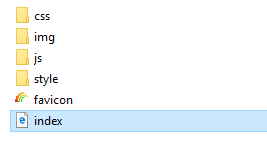
Step 3: Edit Files And Replace Images
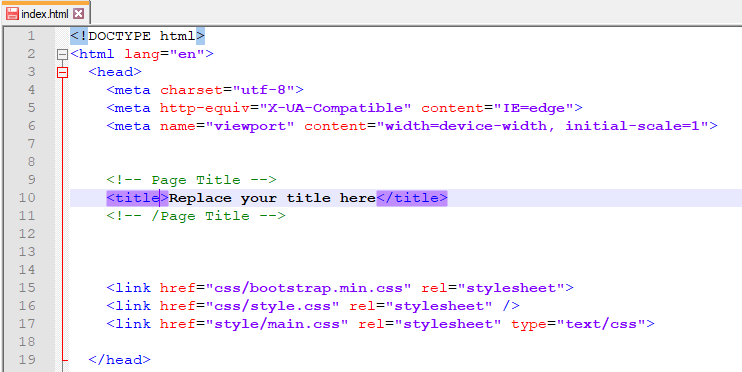
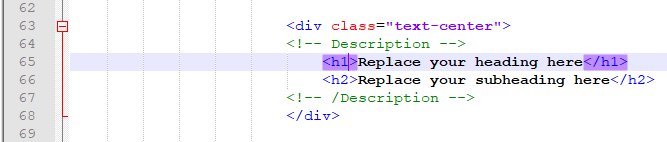
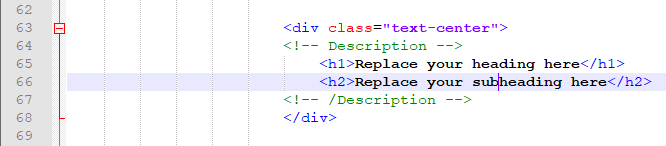
First, you have to edit and replace your text and link in the index.html file
Text Replace
1. Replace your title here
2. Replace your heading here
3. Replace your subheading here
Link Replace
1. Replace your link in the logo section

2. Replace your link in the main menu
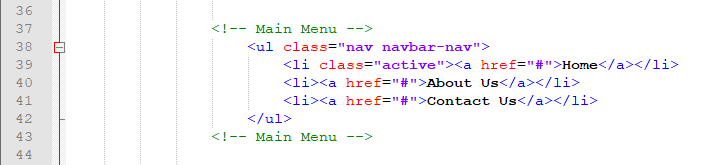
3. Replace your link in the button

4. Replace link to right side image

Second, replace your images
Remember that your all images should be png file format. If you need to change the background image please rename it as “backgroud-image” and also need to change the right-side image rename it as “right-side-image”.
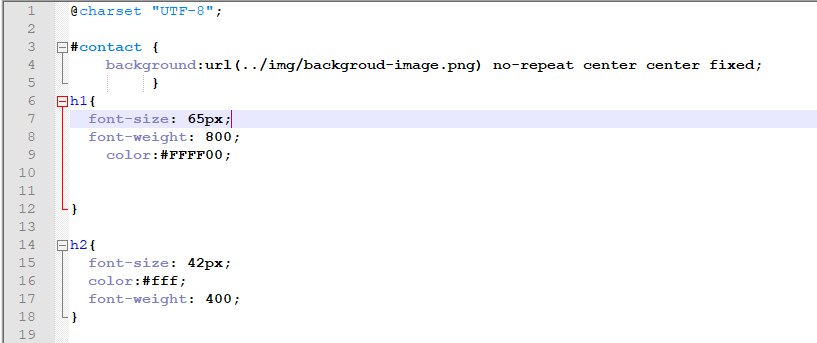
Step 4: Change Font Size Using main.css File
This Landing Page header font size (font-size: 65px;) and sub-header font size (font-size: 42px) can be changed easily using the main.css file and also changed color using Html color code (You can find color code using Html color picker).
Step 5: Upload Landing Page To Your Website
Create a folder in your Cpanel and upload this file. As an example http://yourdomain.com/landing-page/

Free Landing Page Builders
If you need to use a free landing page builders to create a landing page you can use a site like www.site123.com. This option is good but you can’t use your own domain on their free version and also included their copyright name in your footer area.
However, you can create a landing page using free landing page builders within 15 minutes, and also you can select any design as your choice.

Paid Html Landing Page
Themeforest.net is the best place to buy Html Landing Pages. Visit The Website Here
Paid Landing Page Builders
Wix is one of the most common landing page builders to start creating your stunning landing page. All Wix landing page templates are fully customizable with drag and drop.